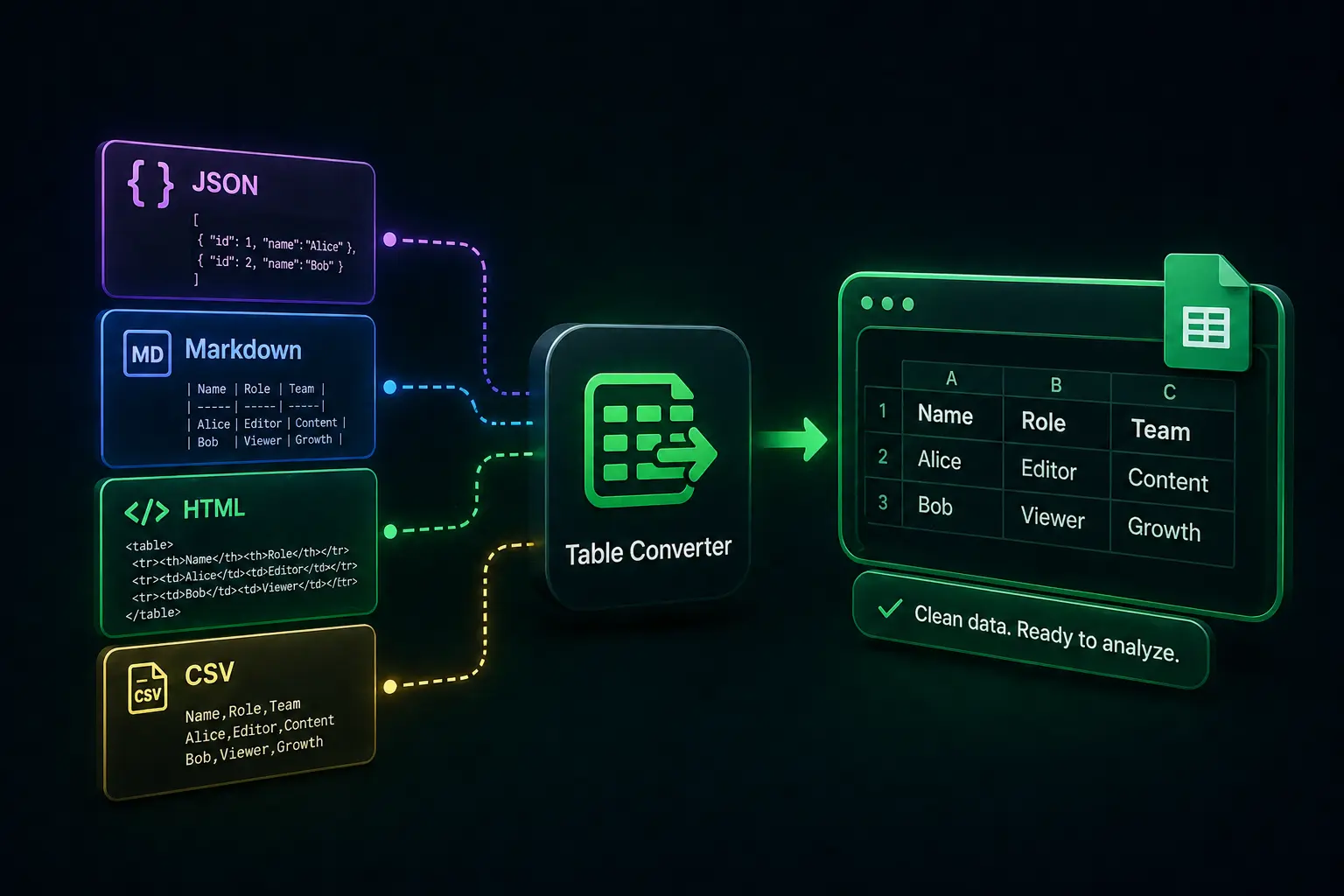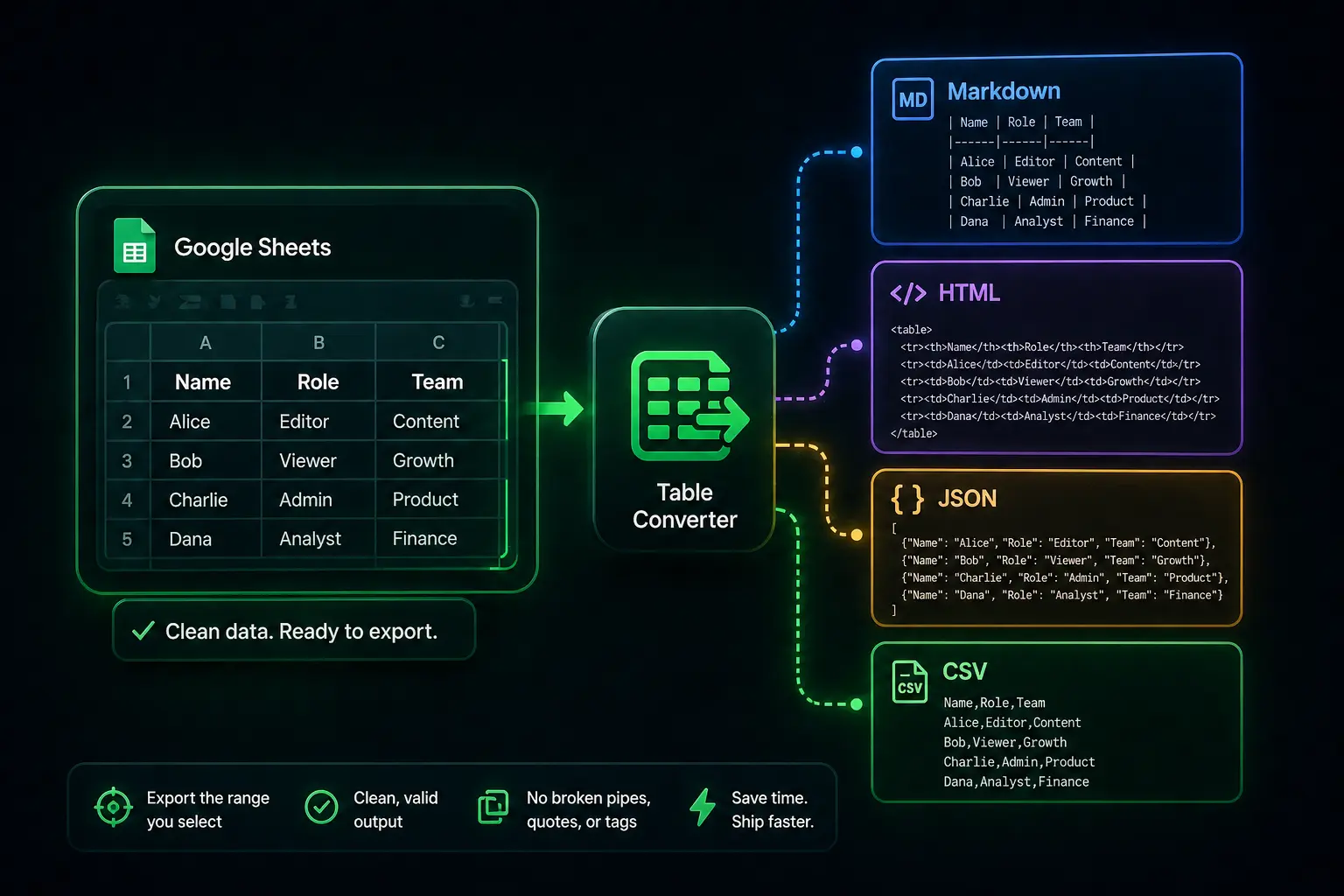

When your numbers already live in Google Sheets but the next step wants Markdown for a README, HTML for a CMS, JSON for a mock API, or CSV for finance, the weak link is almost never the grid. It is what happens when you copy the grid and try to “fix” it in another tab.
Misaligned pipes, half-escaped quotes, and cells that looked fine until someone sorted them are the quiet kind of broken. Table Converter is a free Google Sheets add-on that generates clean output from the range you select so you are not hand-editing structure at midnight.
Why exports go wrong
Sheets and plain text speak different dialects. Markdown cares about pipe counts per row. CSV cares about quoting and commas inside fields. HTML needs consistent <tr> / <td> boundaries. JSON needs valid arrays and strings, not whatever the clipboard decided to merge.
Copy-paste from the grid often looks close enough until another tool parses it. That is the failure mode this flow is meant to remove.
Export without leaving the spreadsheet
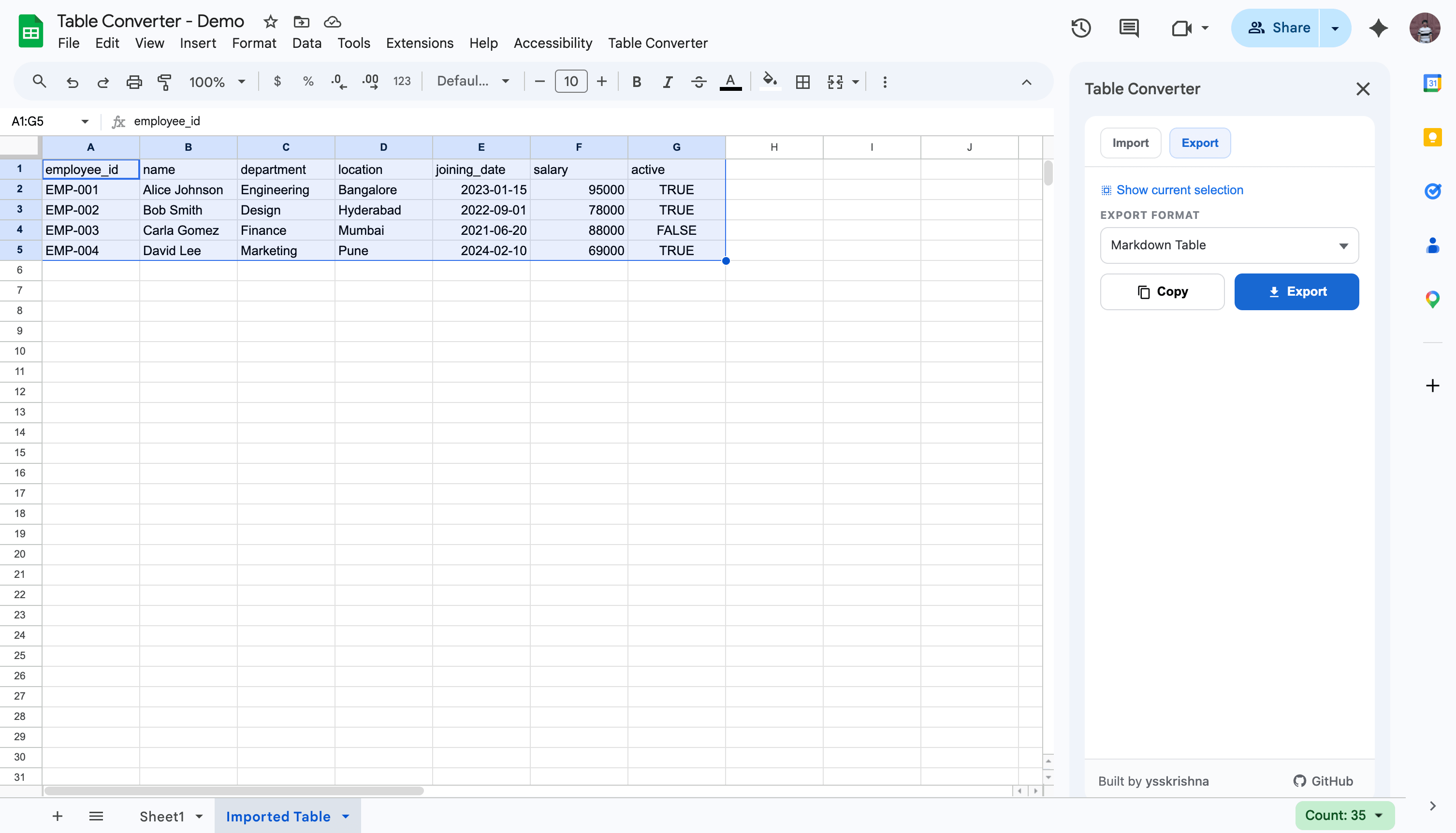
Table Converter runs beside the file that already holds your source of truth. Use Extensions → Table Converter to open the sidebar, select the range you mean to ship, pick Markdown, HTML, JSON, or CSV, then copy (or download when your process wants a file). The goal is predictable rows and columns in the output, not a second opinion from a random web converter that never saw your actual sheet.
Keeping conversion inside Workspace also avoids sending sensitive grids through extra browser tabs when you do not need to.
Three quick steps
- Open Extensions → Table Converter to launch the sidebar.
- Select the range in the sheet you want to convert.
- Choose the format, then copy or download the result.
In short
- Treat export as a formatting problem, not a typing problem: let the add-on emit pipes, tags, or JSON structure from the sheet.
- Staying in Sheets reduces copy-paste drift and keeps data out of extra tools when you do not want it there.
- Vet on a duplicate sheet first if you are wiring this into a team workflow.
Test your pipeline
Before you commit to a major documentation update, run a quick export into your real target (your GitHub README, a Jira ticket, or a dev environment). Confirm that the Markdown pipes align or the JSON schema matches your script's expectations.
Leave a review
If Table Converter saves you from hand-coding another HTML table, the Google Workspace Marketplace listing is the place for a short note. Stars and a sentence or two help other people find it without wading through random converters.