
You open a new chat. The model is bright, eager, and completely unaware of how your project works.
So you paste the same instructions again:
- the tone you want,
- the folders it should avoid,
- your team’s naming conventions,
- the commands it must run before calling a task “done.”
It works until the next session, when you type it again.
What an agent skill actually is
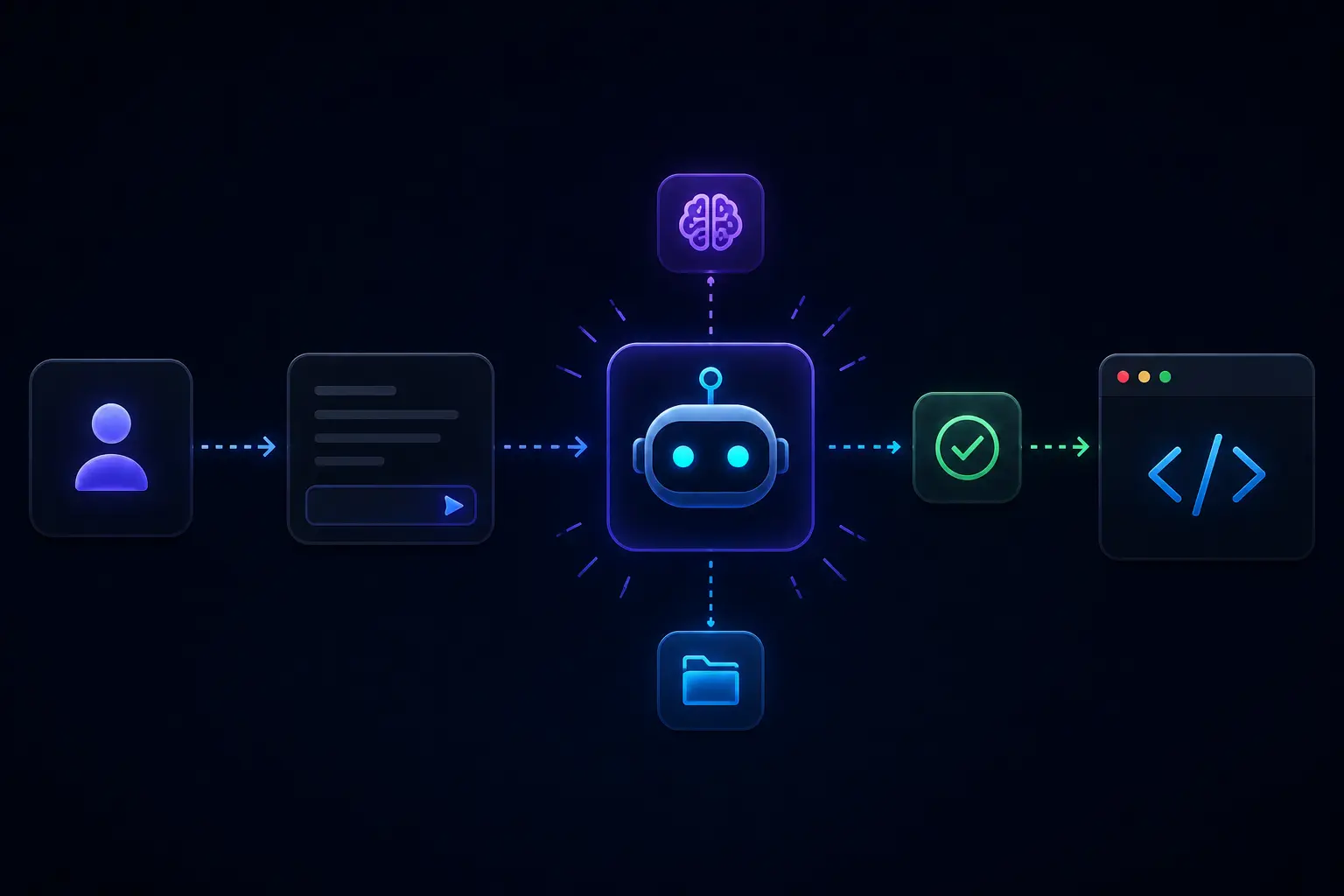
The idea is surprisingly simple. At its core, a skill is usually just a small folder containing instructions, metadata, and optional helper scripts. Instead of re-explaining your workflow every session, you package it once and let the agent reuse it automatically.
The open standard is documented at Agent Skills, originally developed around Anthropic’s tooling ecosystem and increasingly adopted elsewhere.
Browse on skills.sh, install with the CLI
skills.sh is a catalog (the .sh is just the domain name). You search by workflow, skim categories, and copy an install line from a listing.
Installation is usually the Skills CLI from vercel-labs/skills. Listings point at a Git repo; you pass that URL to npx skills add, name the skill with --skill when the repo ships more than one.
What gets loaded (and when)
An agent does not dump every installed skill into the context window immediately. That would waste tokens and overwhelm the model.
Instead, skills usually work through a form of progressive disclosure:
- The agent scans lightweight skill descriptions first.
- It determines which skills are relevant to the task.
- Only the matching skill gets loaded into active context.
The surface differs by product, but the pattern is the same: install once, reuse across sessions. See your tool’s docs, for example Cursor, Claude Code, VS Code Agent Skills, and Anthropic’s overview.
Project skills vs personal skills
Project skills (architecture, CI, PR conventions) usually live in the repo so the team shares them.
Personal skills (how you debug, summarize, or write) are yours across projects, often installed globally.
Example: install Six Thinking Hats
A concrete install using my curated repo and the six-thinking-hats skill (structured multi-angle reasoning):
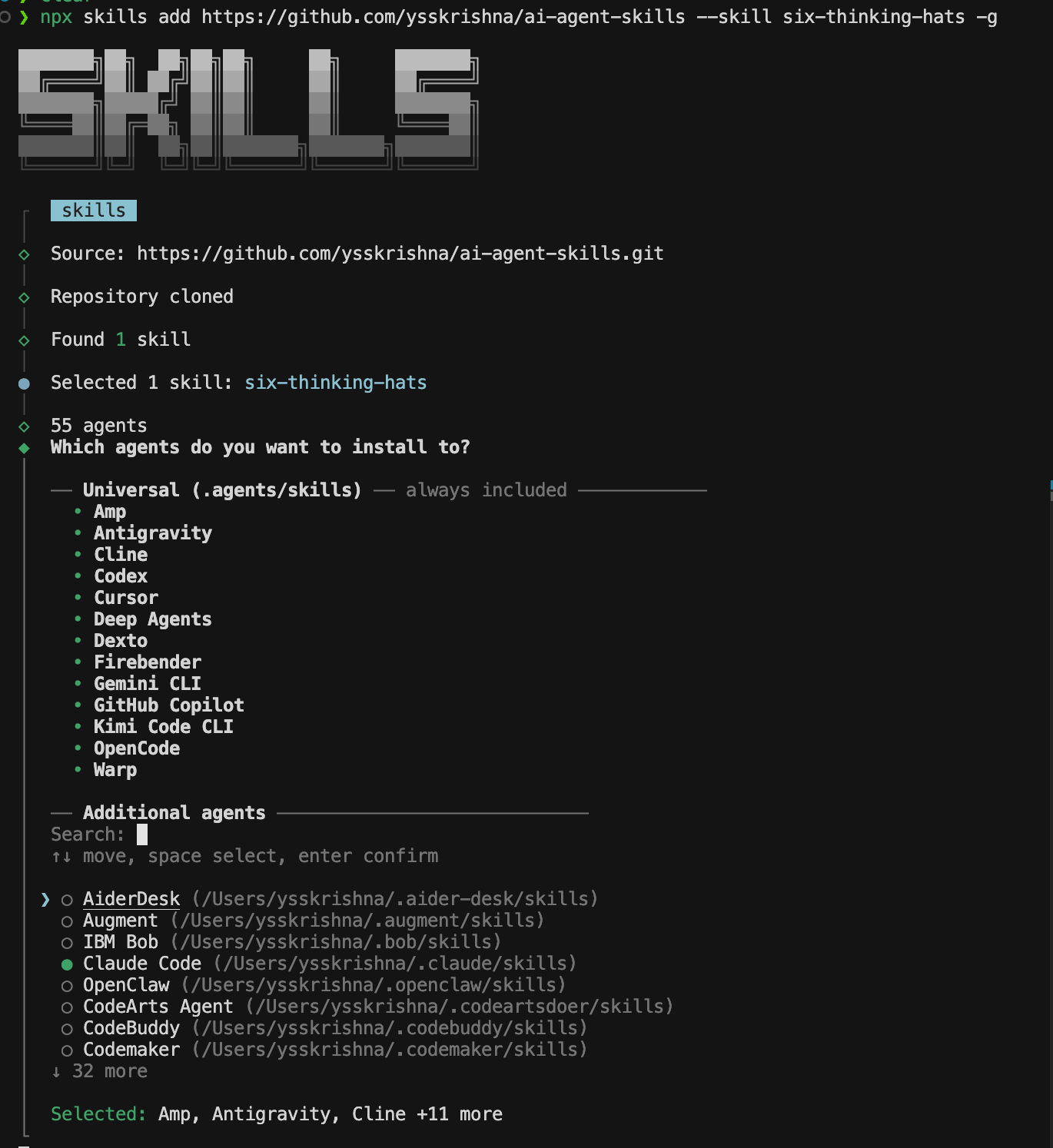
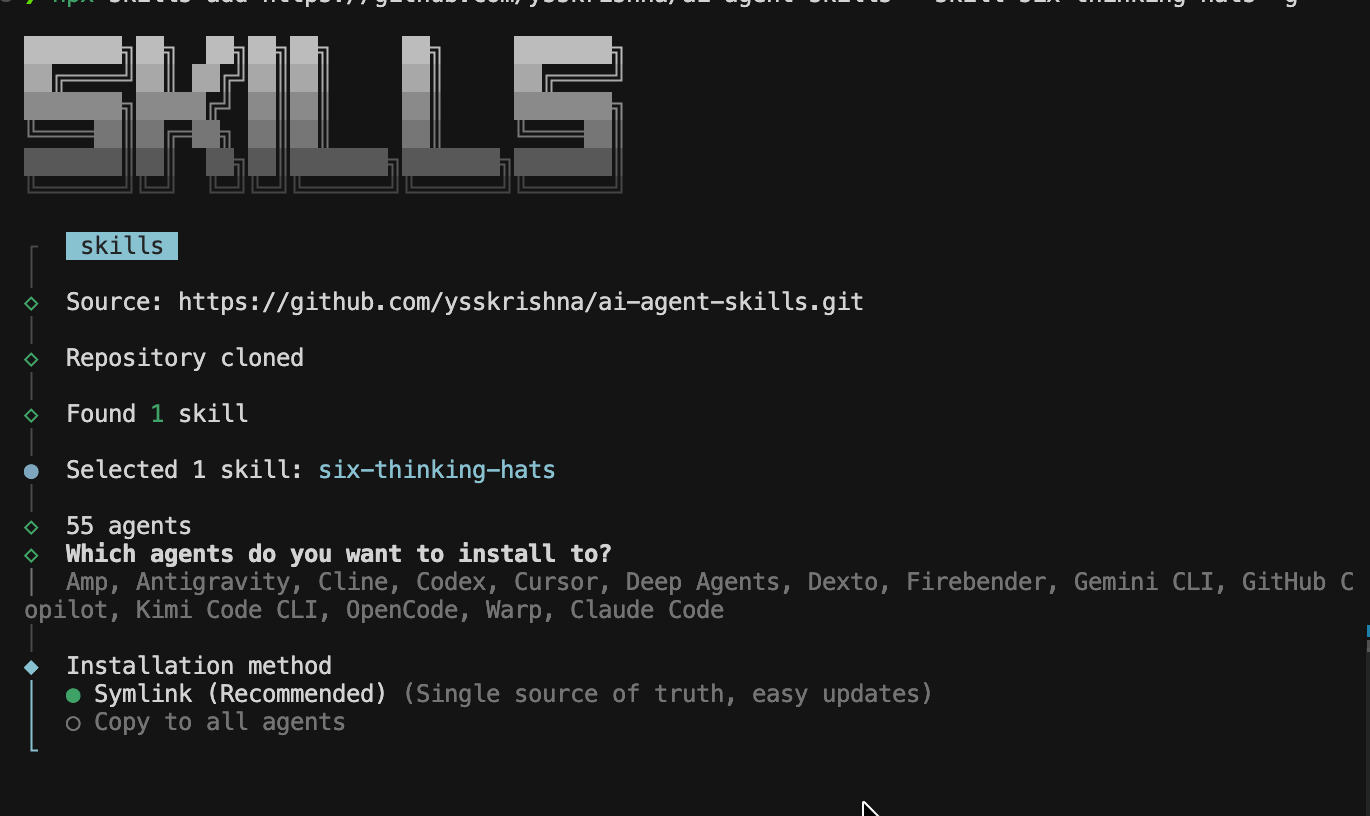
npx skills add https://github.com/ysskrishna/ai-agent-skills --skill six-thinking-hats -g
npx skills add always writes to the shared global directory:
~/.agents/skillsCompatible agents can read that path automatically.
Pick your agents
To also mirror the skill into a tool’s native skills folder (e.g. Claude Code’s ~/.claude/skills), choose it under Additional agents in the installer. That creates extra installs for the tools you select, not only ~/.agents/skills.
Symlink or copy
Then pick an installation method. I use Symlink when it is offered: one copy on disk, simpler updates. Copy to all agents duplicates files into each tool’s tree if you prefer that layout.
If you live in VS Code, the skills-sh extension on Open VSX exposes the same catalog from the sidebar.
Trust
Treat skills like browser extensions: skim the repo, see what commands or scripts they run, and try them in a throwaway folder first. Instruction-only packs and script-heavy ones both deserve a quick audit before -y.
Takeaway
The win is not a smarter model in the abstract. It is less time re-onboarding every chat. Pick one real annoyance on skills.sh, install it once, run one task, and notice what you stop typing.