
Most AI replies are too long by default.
Those extra paragraphs are not free. Filler text increases output tokens, which directly increases API cost, and it also consumes context window space you could have used for code, logs, or follow-up prompts.
That's why I started using Caveman: an open Agent Skill by juliusbrussee that pushes models toward terse, information-dense replies.
What Caveman changes
Caveman targets filler in prose.
It trims:
- long introductions,
- conversational padding,
- excessive hedging,
- repeated summaries,
- "helpful" rewording around short answers.
It does not try to compress technical correctness.
Code blocks stay intact. API names stay exact. Function names, CLI flags, file paths, and quoted error strings are preserved.
The result feels less like a customer-support script and more like an engineer answering directly.
Without Caveman:
“Certainly. Here are a few things to consider before we begin…”
With Caveman:
“Three causes. Check logs first.”
That is the whole appeal: less performance of helpfulness, more signal per paragraph.
Why this matters beyond aesthetics
Readability is only part of the story.
Verbose replies have two real costs:
1. Output-token cost
In many AI workflows, especially coding workflows, output tokens dominate billing.
The expensive part is usually prose around the answer (intros, repeated explanations, cautionary paragraphs, recap after recap), not the code tokens themselves. Across a long session that compounds.
2. Context-window pressure
Long replies also consume context you could have spent elsewhere:
- stack traces,
- logs,
- larger files,
- follow-up reasoning,
- additional tools or prompts.
A shorter answer leaves more room for actual work.
Lite, full, and ultra
These are the three intensity levels I use in English prose.
| Intensity | What changes |
|---|---|
| lite | No filler/hedging. Keep articles + full sentences. Professional but tight |
| full | Drop articles, fragments OK, short synonyms. Classic caveman |
| ultra | Abbreviate prose words (DB/auth/config/req/res/fn/impl), strip conjunctions, arrows for causality (X → Y), one word when one word enough. Code symbols, function names, API names, error strings: never abbreviate |
If you are new to the style, start with lite.
I use full most of the time because it keeps technical precision while cutting conversational overhead.
Ultra is useful when you are deep in debugging sessions and already mentally operating in shorthand.
Install Caveman
I install Caveman with the Skills CLI using the repo URL, the skill name, and global scope (-g):
npx skills add https://github.com/juliusbrussee/caveman --skill caveman -g
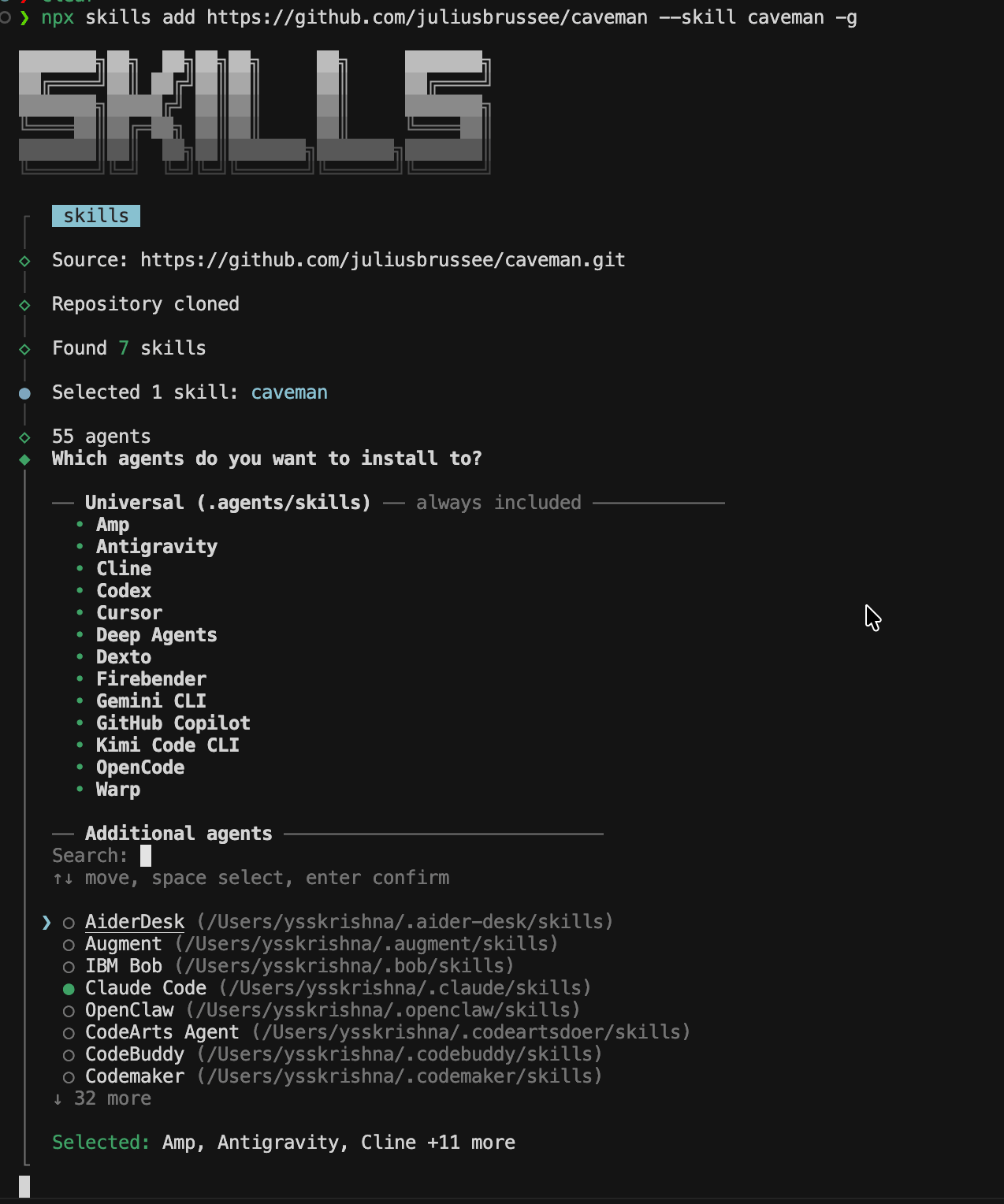
Pick your agents
Running the install command always adds the skill to the shared global directory:
~/.agents/skillsThat shared location is used by multiple compatible AI tools automatically.
If you also want the skill available in a tool’s own native skills folder, select it under Additional agents during installation. For example:
- Claude Code →
~/.claude/skills - Codex → its own skills directory
Those selections create additional installs for the specific tools you choose instead of only keeping the skill in the shared ~/.agents/skills location.
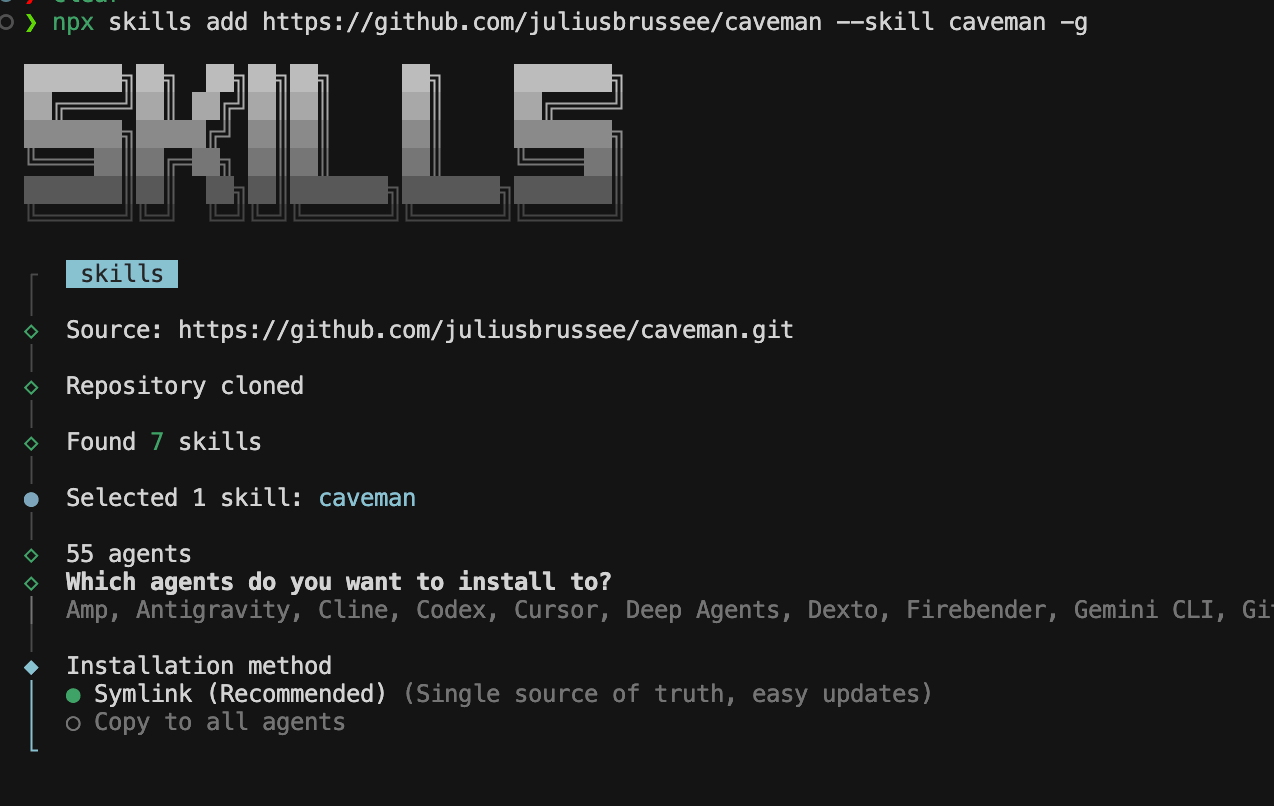
Symlink or copy
Finally you choose an installation method. I use Symlink when it is offered: one source of truth on disk and simpler updates. Copy to all agents duplicates files into each tool’s tree if you prefer that layout.
Using Caveman In Cursor
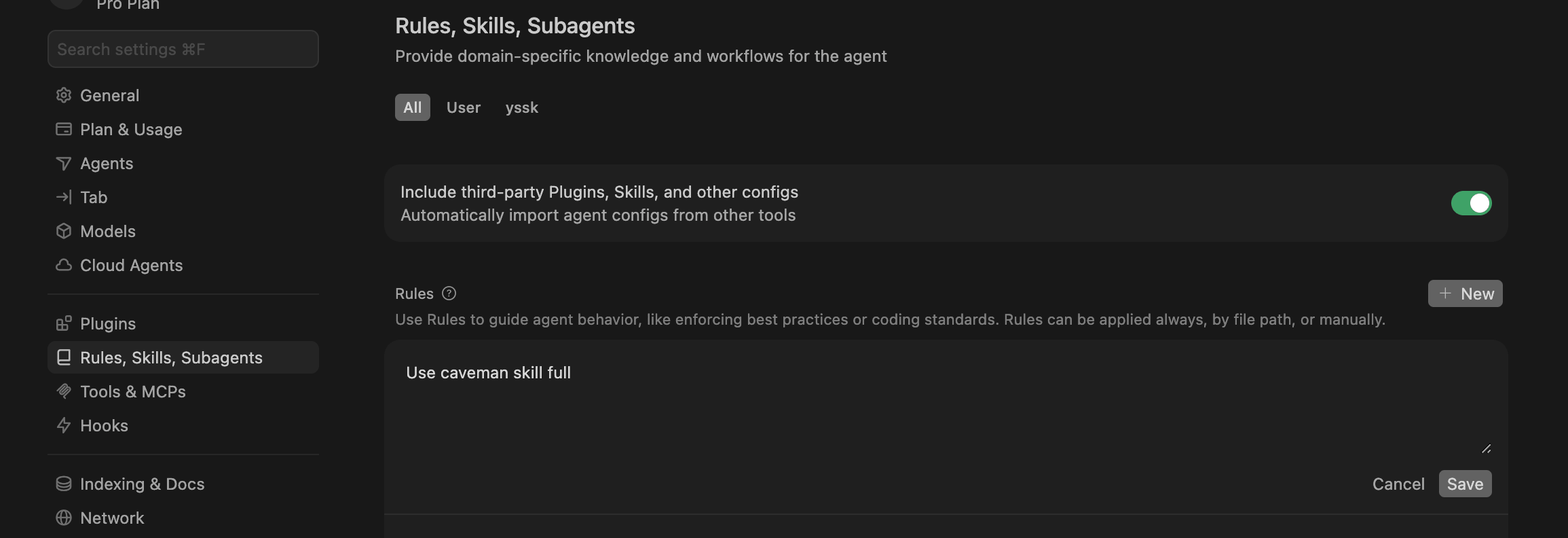
Confirm Cursor picked up the skill. Open Cursor Settings → Rules, Skills, Subagents and check that Caveman shows up with your installed skills.

Make it default
I use full mode most of the time, so I set it once in Cursor instead of enabling it every chat.
Open Cursor Settings → Rules, Skills, Subagents
Then add a new User Rule:
Use caveman skill fullThat makes Cursor use Caveman’s full mode by default in new chats.
If you only want it for one repository, add it as a Project Rule instead.
You can also replace full with lite or ultra.
Using Caveman in Claude Code
Claude Code loads skills from:
~/.claude/skillsAfter installing, I run /skills in Claude Code and confirm caveman is listed. That way I know the tool actually picked up the skill before I lean on it.
When I disable Caveman
Compression is not always a good trade.
I temporarily disable Caveman for:
- security-sensitive instructions,
- irreversible actions,
- infrastructure changes,
- ambiguous multi-step operations,
- anything where missing nuance could change meaning.
In those moments I say stop caveman, get a fully explicit answer, then resume once the risky part is clear.
Takeaway
Most AI assistants are tuned to sound helpful, not to save tokens or leave room in the context window.
Caveman reverses that bias.
I use full mode for most daily work, disable it when precision and caution matter more than brevity, and keep the upstream repo handy as the tooling evolves.
If you spend large parts of your day inside a coding agent, whether that is Cursor, Claude Code, Codex, or another entry from the installer list, reducing conversational overhead ends up mattering more than you expect.
Upstream repo and updates: