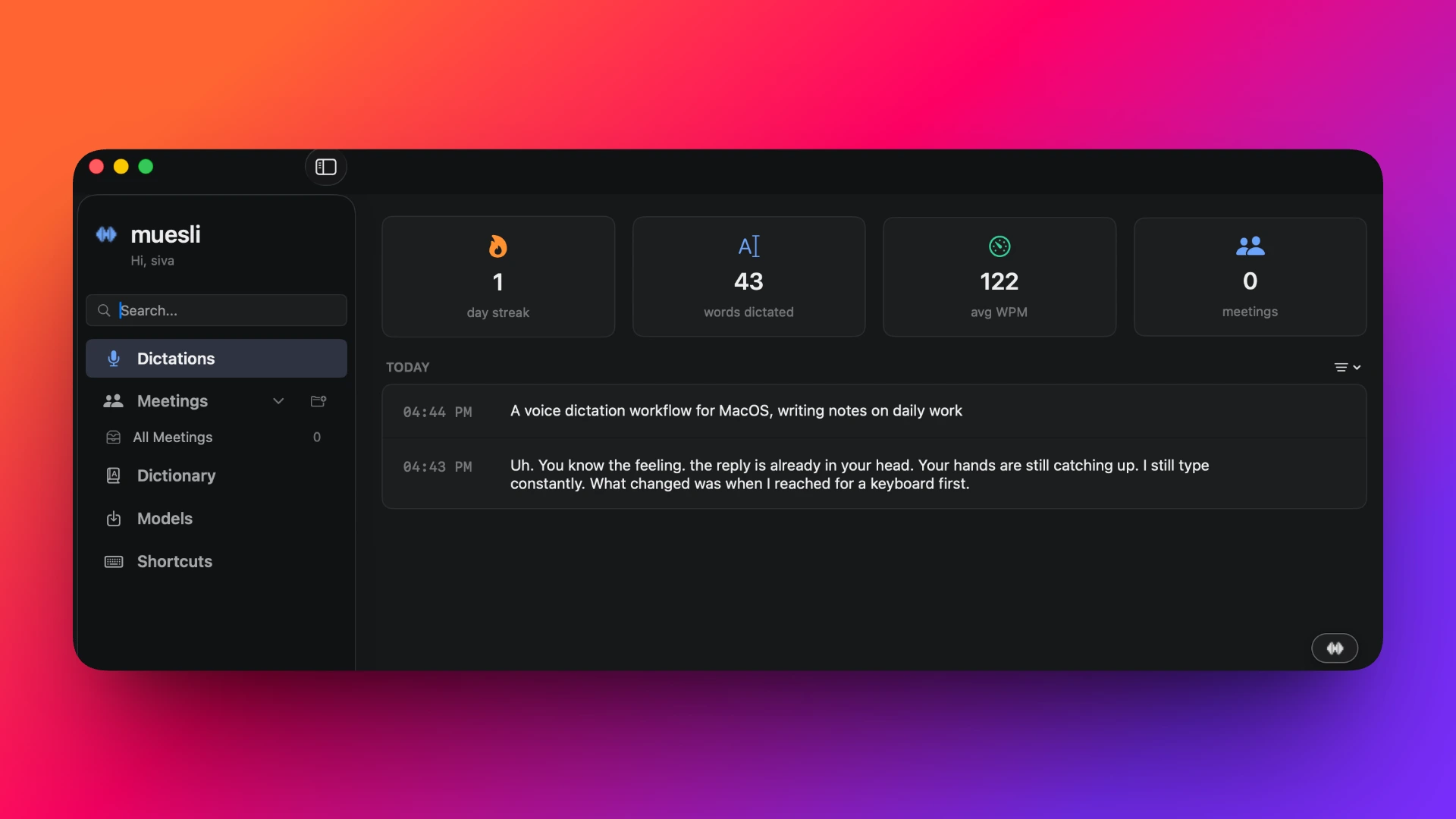

You know the feeling: the reply is already in your head (structure, tone, even the joke) and your hands are still catching up. Or you open Notes with a half-formed idea and burn the first minute fighting the blank line instead of dumping the thought.
I still type constantly. What changed was when I reach for the keyboard first. For writing, notes, and everyday back-and-forth, I leaned on one habit: hold a key, speak, release, and let text land at the cursor.
No transcript window. No copy-paste loop. That single shift changed how often I capture ideas before they disappear.
The cost wasn’t WPM
The leak was inside one task: start a sentence, fix a typo, rephrase, lose the thread. Fine for “LGTM”; brutal for an email, a doc section, or a note your future self has to read.
Cloud dictation added a different leak: a pause before I spoke (“Is this okay on someone else’s server?”) right when I wanted fewer decisions. I wanted voice to behave like typing: words appear where I was already working.
Push-to-talk, then a tool that matched it
Always-on dictation never stuck. Push-to-talk did: one bounded gesture, walkie-talkie muscle memory. You dump the thought first, then edit; the keyboard shifts from “author every character” to “shape a draft that already exists.”
Once that mental model clicked, I wanted something native-feeling, low-latency, and local enough that I would actually leave it on.
I landed on Muesli: open-source macOS, on-device transcription. For the core dictation path, audio is not shipped to the cloud by default. No subscription meter on that pipeline, which matters when you might use it dozens of times a day.
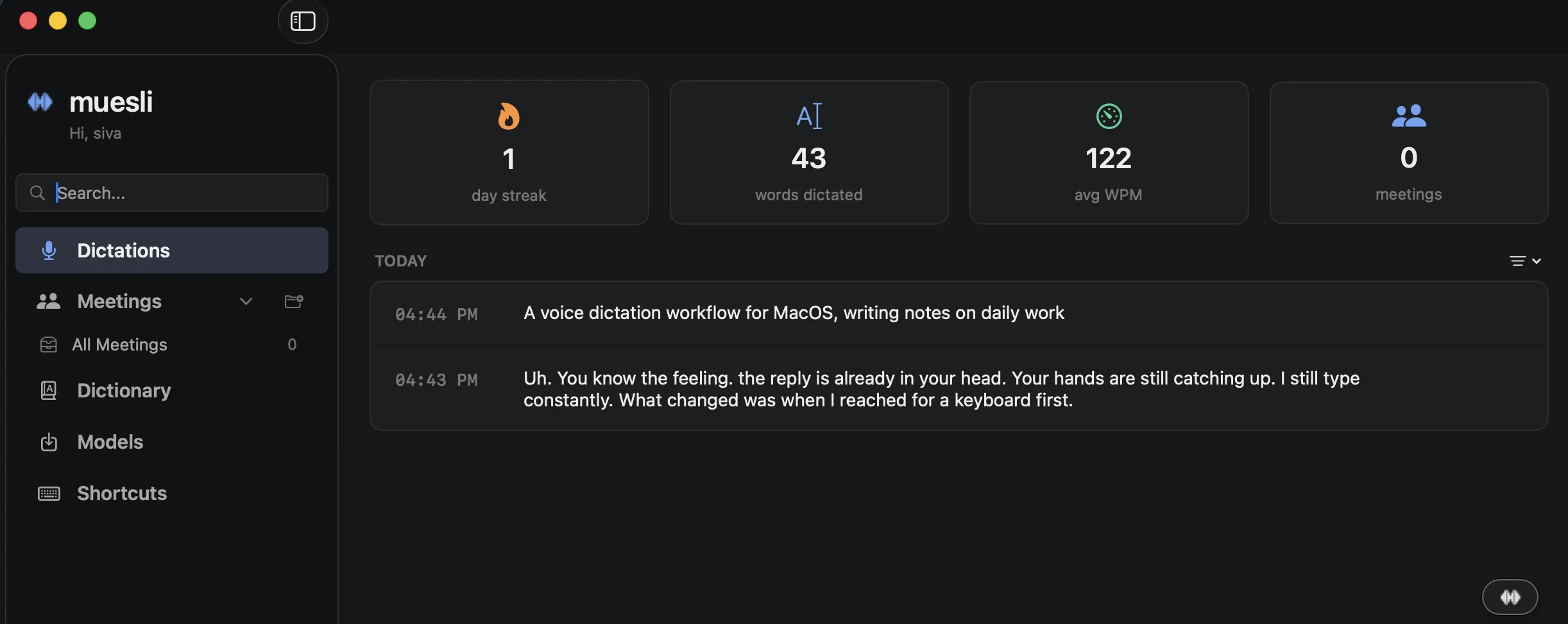
First week: wrong homophones, filler, occasional garbage clause. Still worth it for raw capture; the keyboard is for cleanup, not birth. I committed to one hotkey and stock Parakeet v3 for a week: no optimization spiral, just repetition until it felt automatic.
Where it paid off
What survived after the novelty faded:
- Long replies: dictate an ugly first draft; cut and tighten with keys.
- Notes before they vanish: one gesture while walking between rooms or right after a call.
- Cursor stays put: no transcript window, no copy hop; paste lands in the field you already chose.
- Latency: the project cites on the order of ~0.13s for Parakeet TDT on supported hardware.
What I still type
Code, shell, paths, anything where symbols carry meaning. Voice is for prose-shaped output; the win is fewer round trips from brain to editable text, not zero keyboard.
Setup and install
Push-to-talk defaults to Left Command; I moved to Left Option so it does not fight IDE and browser chords (same story as macOS shortcuts I run every day). Parakeet v3 stayed default. I stay on hold-to-talk because thoughts arrive in bursts.
Install via Homebrew, then grant whatever macOS asks (microphone, accessibility for paste-at-cursor):
brew tap pHequals7/muesli
brew install --cask muesli
If steps drift, use the README: github.com/pHequals7/muesli. Apple Silicon: this setup matches current README expectations.
What surprised me
I expected dictation to make writing faster. It mattered more that it made writing easier to start, closing the gap between “I have an idea” and “there is a draft on screen.” That friction drop is why it stuck for ordinary Tuesdays, not because it feels futuristic.
Key takeaways
- Friction lived inside one task (start, fix, rephrase, lose the thread), not in raw typing speed.
- Push-to-talk plus a local default removed the “should I say this into the cloud?” pause right when I wanted fewer decisions.
- One hotkey, one stack (I use Muesli, Left Option, stock Parakeet v3) for long enough to feel automatic; yours can differ if you pick once and stay with it for a couple of weeks.
If you try this
Pick one surface for a week (mail, Slack, or notes): dictate first for anything longer than a few sentences, edit after, same hotkey throughout. If Command fights your shortcuts, try Option, but do not change mid-trial.
The goal is not a pristine transcript; it is less effort to begin.